JIRA Issues
Pull JIRA issues into your spreadsheet using JQL queries or saved filters.
The JIRA Issues panel lets you pull issues from JIRA into your spreadsheet. Use JQL queries or saved filters to select which issues to sync, configure the columns you want to display, and download everything with one click.
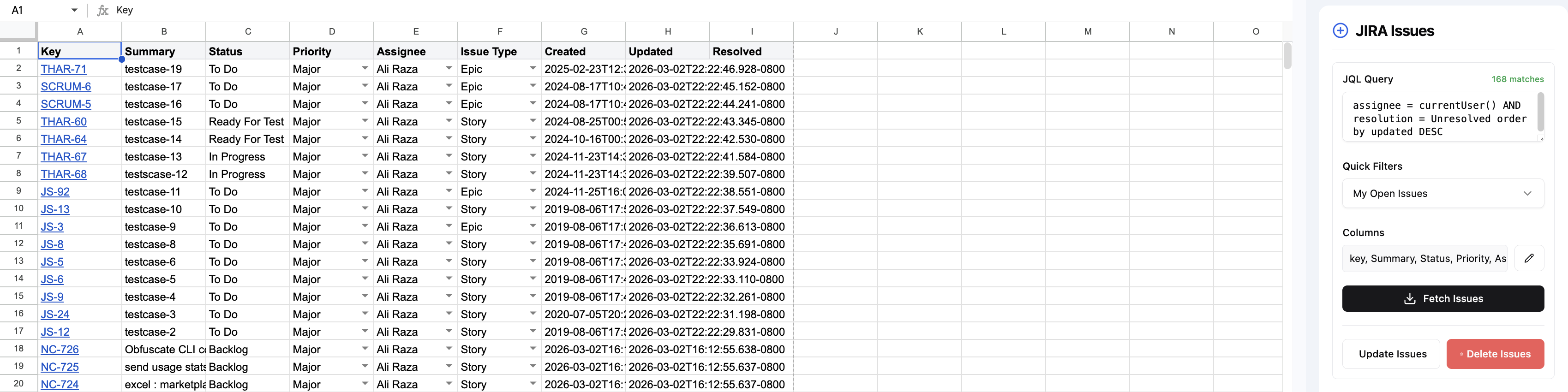
Pulling issues
- Open the JIRA Issues panel from the sidebar.
- Enter a JQL query or select a saved filter.
- Choose which columns to display (e.g., Key, Summary, Status, Assignee, Priority).
- Click Pull to download issues into the active worksheet.
Using JQL queries
JQL (JIRA Query Language) lets you precisely filter which issues to pull. Examples:
Using saved filters
If you have saved filters in JIRA, you can select them directly from the dropdown instead of writing JQL. This is useful for reusing complex queries across syncs.
Configuring display columns
Choose which JIRA fields appear as columns in your spreadsheet. Available fields include:
- Standard fields: Key, Summary, Status, Assignee, Reporter, Priority, Type, Created, Updated
- Custom fields: any custom fields defined in your JIRA instance
- Sprint, Epic Link, Labels, Components, Fix Versions, and more
Refreshing data
To update your spreadsheet with the latest JIRA data, click Pull again. The addon will refresh the data in place, preserving your spreadsheet layout and any formulas referencing the synced data.
Updating and deleting issues
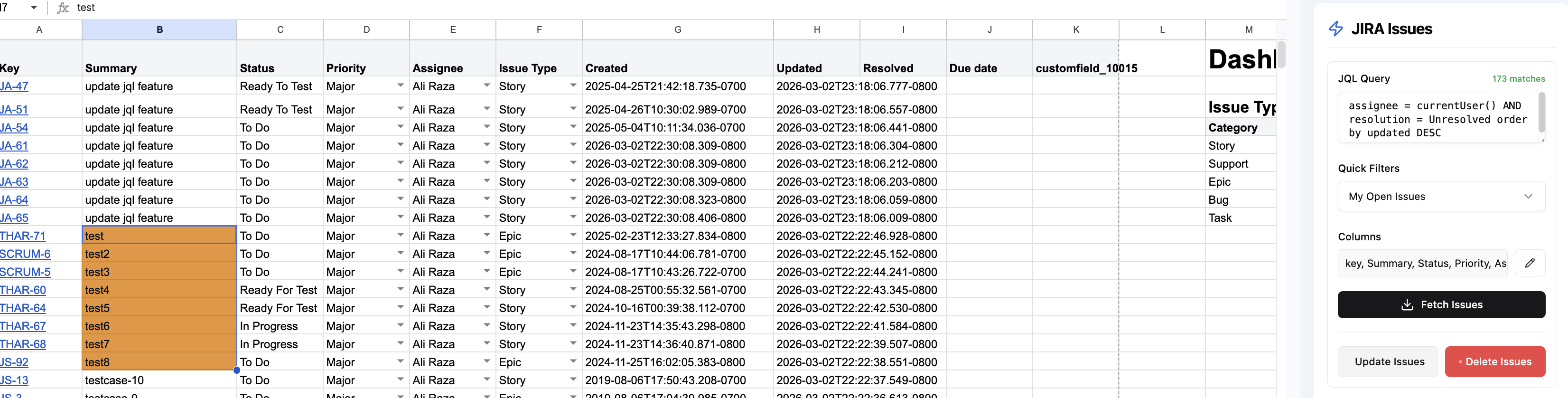
You can also update and delete issues directly from the JIRA Issues panel. Edit any cell in your spreadsheet — modified rows will turn orange to indicate they have been changed. Then select the edited rows and click Update Issues to push changes back to JIRA, or Delete Issues to remove them.
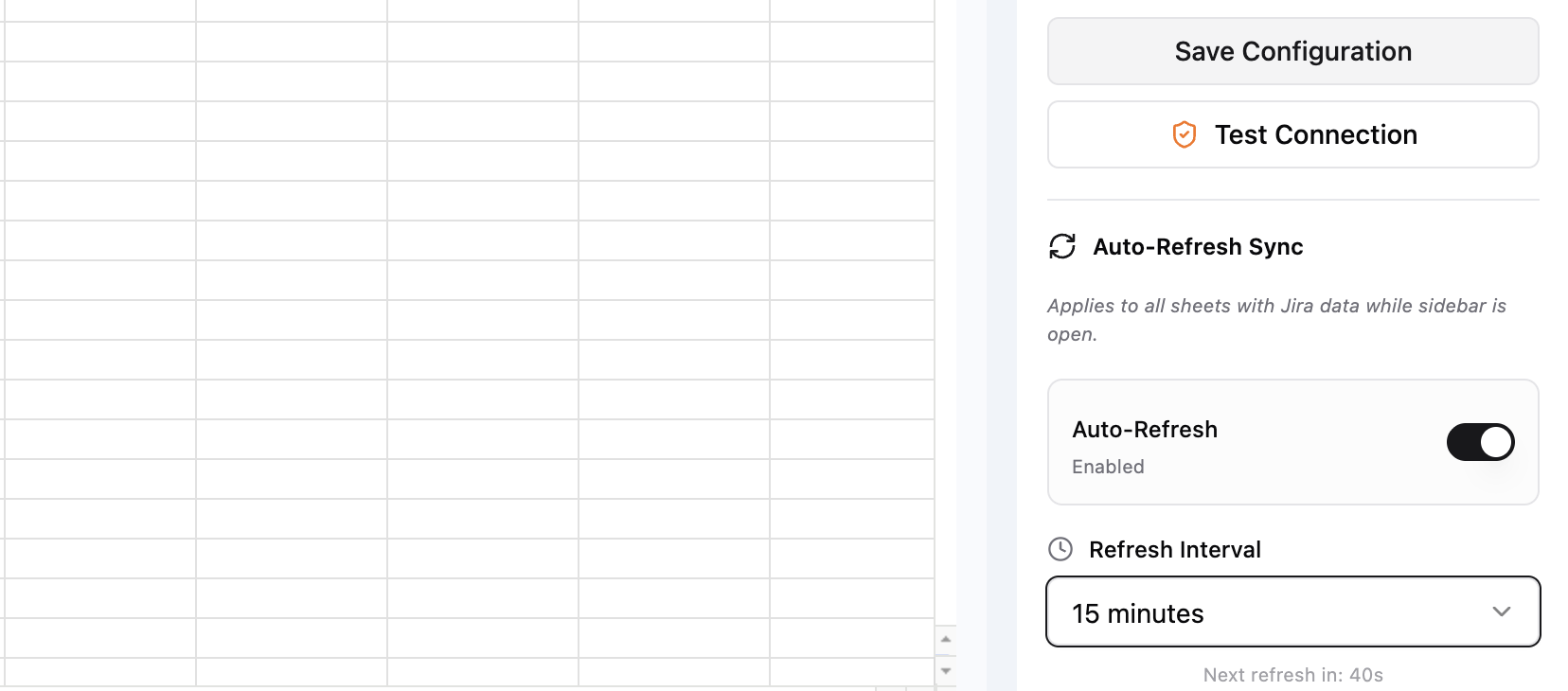
Auto-Refresh Sync
Enable Auto-Refresh to automatically keep your sheet up to date while the sidebar is open. Set the refresh interval (e.g., 15 minutes) and the addon will pull the latest JIRA data on that schedule without any manual action.