Roadmap Planning
Plan and visualize your product roadmap using JIRA data in spreadsheets.
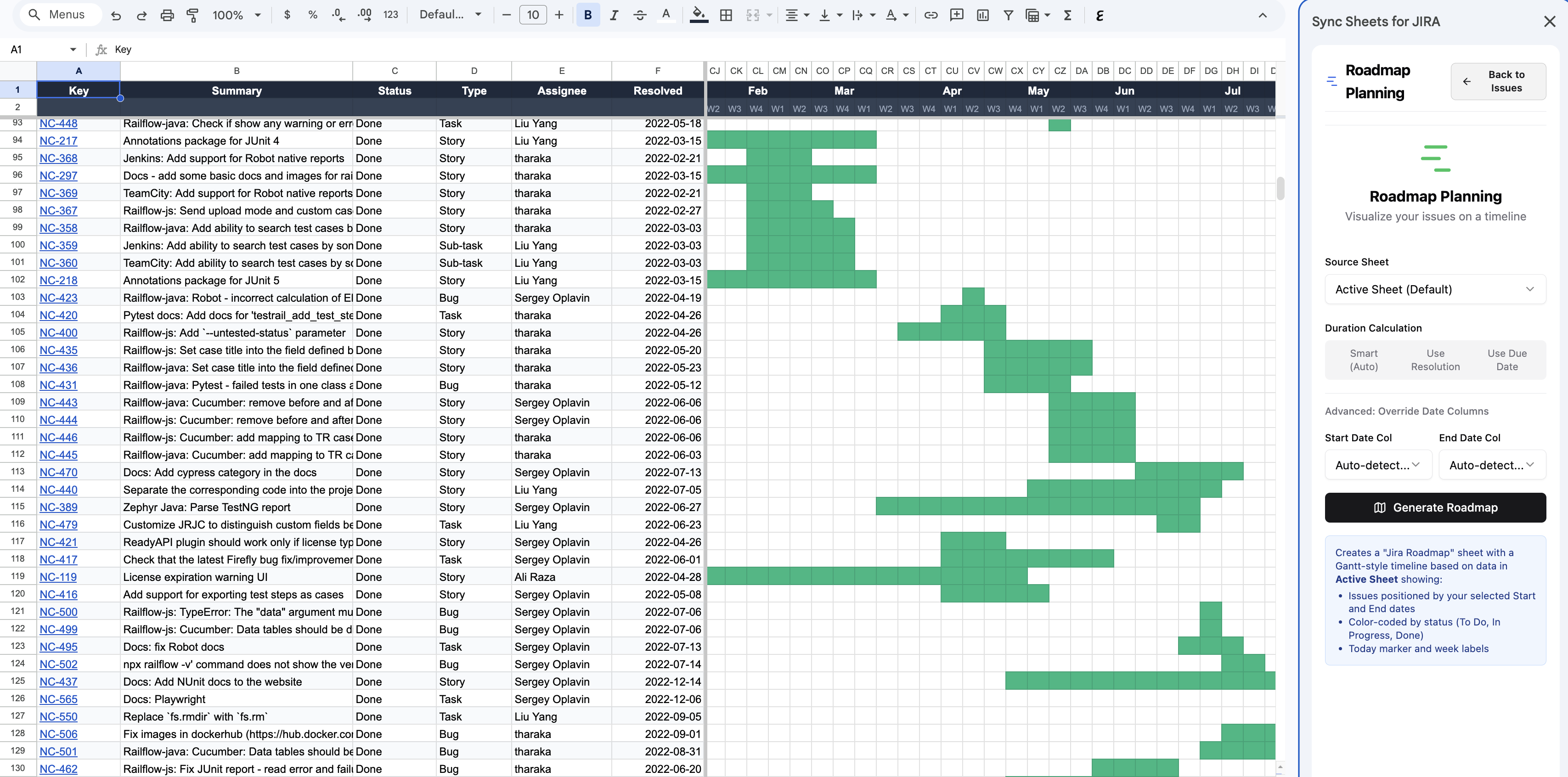
The Roadmap Planning feature lets you plan your product roadmap in a spreadsheet using your JIRA data. Take advantage of the full analytical power of Excel and Google Sheets to organize, prioritize, and schedule work.
How it works
- Sync your JIRA issues using the JIRA Issues panel.
- Open Roadmap Planning from the sidebar.
- Organize issues by epic, sprint, quarter, or any custom grouping.
- Use spreadsheet formulas and formatting to build your roadmap view.
Use cases
- Sprint planning — organize upcoming work by sprint and assignee
- Quarterly roadmap — lay out epics and features across quarters
- Release planning — group issues by fix version and track progress
- Stakeholder reporting — build presentation-ready roadmap views using spreadsheet charts and formatting
Tips
- Combine roadmap planning with Capacity Planning to ensure your team can deliver the planned work.
- Use scheduled syncs to keep your roadmap data fresh with the latest JIRA status.
- Use conditional formatting to highlight at-risk items or overdue work.